A lot of CISOs already know they have an insider risk problem. What they usually don’t have is clean visibility into what users did across endpoints, SaaS apps, identity systems, file stores, and admin consoles when something starts to look wrong.
That gap shows up in familiar ways. A privileged user exports data outside their normal pattern. A contractor grants an OAuth permission no one expected. An employee with valid credentials reads from a sensitive system they’re allowed to access, but not in that volume, not at that hour, and not from that device state. Traditional perimeter controls won’t catch that well because the activity often looks legitimate at the control plane.
That’s where user activity monitoring stops being a niche capability and becomes part of the core security stack. In mature programs, it isn’t a standalone spying tool. It’s a detection, investigation, and compliance evidence layer that makes a SIEM/XDR platform far more useful in real operations.
Why User Activity Monitoring Is Non-Negotiable Today
Most internal incidents don’t begin with obviously malicious code or a blocked firewall event. They begin with a person doing something that appears authorized in isolation. That’s why user activity monitoring matters. It gives security teams the ability to inspect behavior inside the environment, where damage often happens after access has already been granted.
Hybrid work made that problem harder, not easier. Users move between managed laptops, personal devices, VPN sessions, cloud apps, and identity providers. Admin rights are distributed across infrastructure, SaaS, and business systems. Security teams can’t rely on a single choke point anymore. They need a way to reconstruct user behavior across the estate and decide whether an action is routine, careless, or actively dangerous.
The business case is already visible in market direction. The global User Activity Monitoring market reached an estimated USD 3.32 billion in 2025 and is projected to reach USD 14.89 billion by 2035, with a 17.45% CAGR, according to this UAM market projection. That kind of growth usually signals a category shift. Security leaders aren’t buying user activity monitoring because it’s fashionable. They’re buying it because insider misuse, credential abuse, and policy violations are difficult to detect with perimeter and signature-based controls alone.
User activity monitoring is what tells you whether access that looks valid is being used in a way that increases risk.
In practice, the strongest use case isn’t “watch everyone constantly.” It’s visibility where it counts. Track privileged changes. Track sensitive data access. Track unusual exports, permission changes, and admin operations. Then connect those signals to your broader threat detection and response strategy, so the SOC can respond before an internal action turns into a reportable incident.
Security teams that delay this usually hit the same wall. They can collect logs, but they can’t explain user intent, sequence actions across systems, or produce audit-ready evidence fast enough when legal, HR, or compliance gets involved.
Deconstructing User Activity Monitoring
Think of user activity monitoring as the security system for your digital building. Badge readers tell you who entered. Cameras show where they went. Door alarms show forced access. In the enterprise, the equivalent signals are logins, file reads, admin commands, SaaS actions, permission changes, and exports.
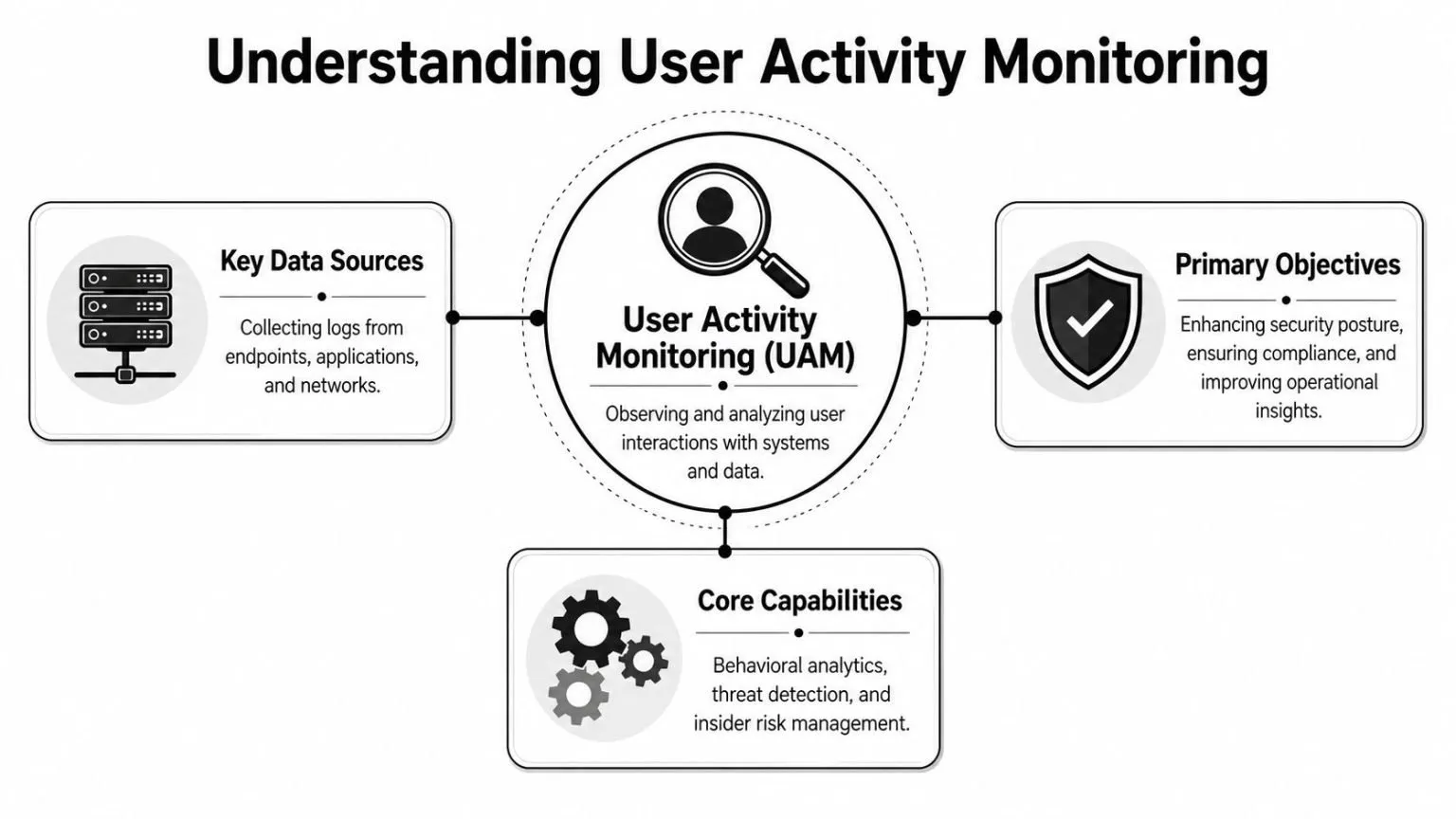
The difference is that digital environments are noisier and far more distributed. A user can authenticate in one system, access data in another, trigger an API action in a third, and leave traces across endpoint telemetry, cloud logs, and identity records. User activity monitoring pulls those signals together so analysts can answer four basic questions: who acted, what they did, when they did it, and where it happened.
What UAM is actually for
A mature program usually serves three goals at once:
- Detect insider threats: Spot behavior that breaks from normal usage or crosses a security threshold.
- Produce compliance evidence: Show who touched sensitive systems, what changed, and whether access aligned with policy.
- Accelerate investigations: Reconstruct activity quickly after a suspected compromise, data handling issue, or policy breach.
That’s why the framing matters. If an organization treats UAM as broad employee surveillance, the program usually fails. It creates resistance, poor governance, and too much low-value data.
Strategic intent: User activity monitoring should protect systems and data, not collect everything a person does just because the technology can.
What good visibility looks like
Good UAM doesn’t start by recording every possible interaction. It starts by defining the actions that matter to risk and control objectives.
That usually includes:
- Identity events: Sign-ins, failed authentication, MFA changes, OAuth grants, and role assignments.
- Privileged actions: Admin commands, policy edits, account creation, permission changes, and emergency access use.
- Sensitive data interactions: Read, write, copy, export, and delete actions against regulated or high-value assets.
- Session context: Device, application, location context, and sequence of related actions.
The best programs also separate normal workforce telemetry from high-sensitivity oversight. A finance admin modifying permissions in a production system should never be monitored the same way as a general user opening routine business apps. Scope should follow risk.
UAM Architecture and Essential Data Sources
User activity monitoring fails when teams expect one data source to do everything. Endpoint telemetry alone won’t tell you what happened in a SaaS tenant. Cloud audit logs won’t tell you what happened on the workstation before the upload. Identity logs won’t tell you whether the user read, exported, or deleted the data in question.
A workable architecture combines several streams, normalizes them, and sends them into a common analysis layer. Typically, that means feeding them into a SIEM or a platform built for centralized log management, then enriching events with identity, asset, and policy context.
What the platform must collect
The most useful UAM deployments pull from the following categories.
| Comparison of UAM Data Sources | Data Captured | Pros | Cons |
|---|---|---|---|
| Endpoint agents | Process execution, file access, local logins, device events | Deep host context, good for forensic timelines | Requires deployment and maintenance on managed devices |
| Identity providers | Authentication, MFA events, role changes, OAuth grants | Strong user attribution, catches account abuse early | Limited visibility into what happened after login |
| Operating system and application logs | User actions, service events, admin operations | Broad system coverage, familiar to SOC teams | Quality varies by product and configuration |
| SaaS and cloud APIs | Access to cloud apps, admin actions, sharing, exports | Critical for hybrid work and business app visibility | API coverage differs across vendors |
| Database activity logs | Query activity, reads, writes, schema changes | High value for regulated data monitoring | Tuning can be complex in busy environments |
| Network telemetry | Session metadata, movement between systems, transfer patterns | Good for context and lateral movement clues | Usually lacks user-level action detail without enrichment |
This is why architecture decisions matter more than checkbox features. Each source has blind spots. Correlation is what turns them into a usable picture.
Why behavior analytics matters more than raw logging
The market has already shifted toward analytics over collection. Behavior analytics solutions hold the largest UAM market share at 45%, followed by log management at 30%, according to Mordor Intelligence’s user activity monitoring market analysis. That matters because raw logging by itself rarely solves the detection problem.
Security teams don’t need more unactionable records. They need systems that can compare a user’s current activity against normal patterns, role expectations, and asset sensitivity. Logs tell you something happened. Analytics helps you decide whether it deserves attention.
If your UAM stack only stores events, analysts still have to do the interpretation manually. That doesn’t scale in a busy SOC.
The practical design target is simple. Collect enough data to explain the event, but not so much low-value telemetry that investigators drown in noise.
Detection Strategies and Event Correlation
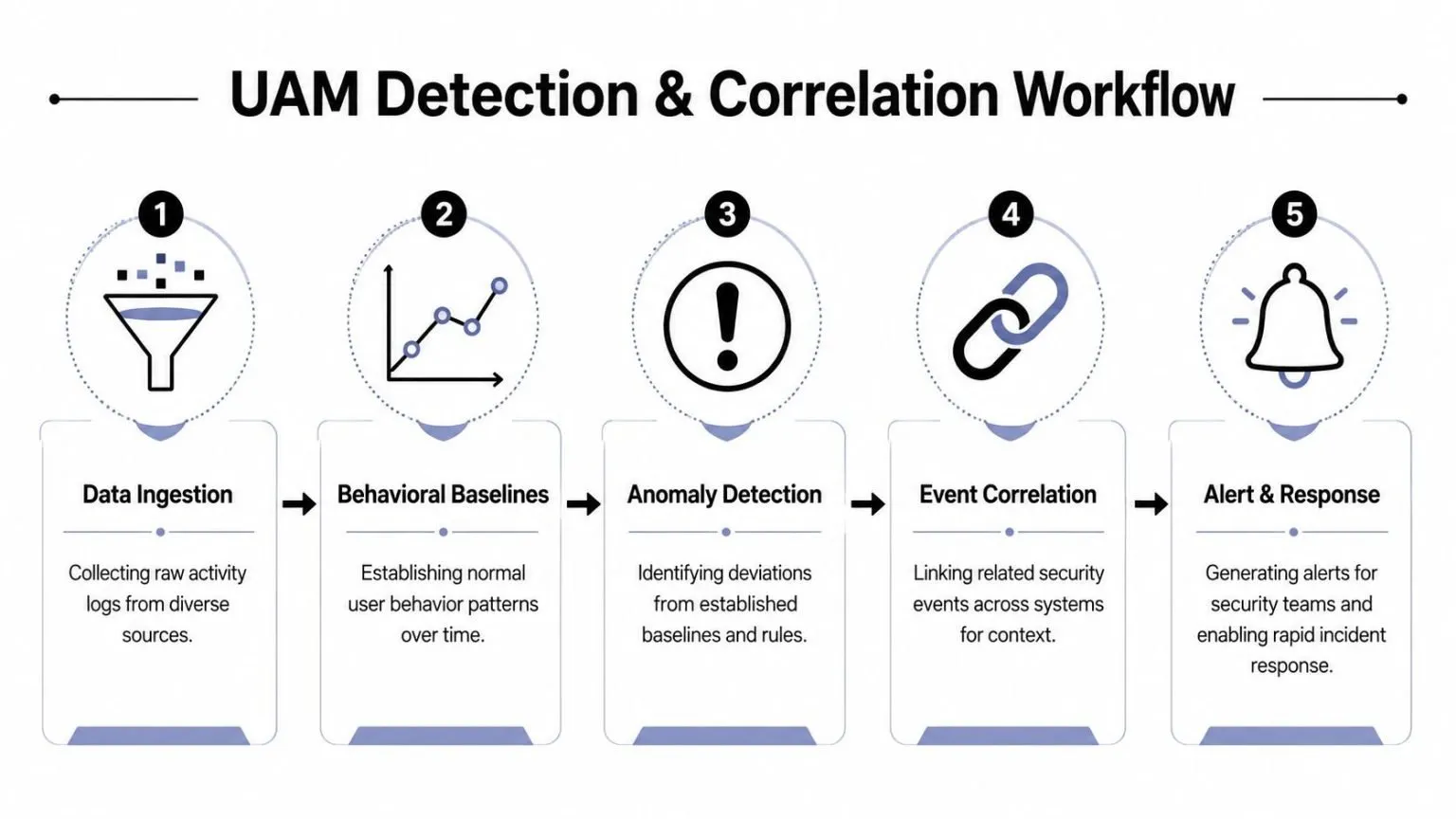
There are two ways UAM programs usually miss threats. They either rely too heavily on static rules, or they trust anomaly detection without enough context. Strong detection engineering uses both.
A rule is useful when the action itself is risky. A privileged role assignment outside change control should fire. A mass export from a sensitive repository should fire. Repeated failed access to restricted data should fire. These are deterministic and defensible.
Rules catch known bad behavior
Rule-based detection works best for events tied directly to policy, compliance, or obvious abuse. Good examples include:
- Privilege misuse: New admin role, unexpected group membership change, or emergency account usage.
- Sensitive data handling: Large export, unusual deletion pattern, or access to restricted records outside expected workflows.
- Application control issues: Unusual OAuth grant, disabled logging, or tampering with audit settings.
Rules give you clear coverage. They also map well to frameworks like HIPAA, PCI, GLBA, and CMMC because they align with control statements and audit questions.
Baselines add the missing context
Behavioral analytics solves a different problem. It helps you determine whether an action is abnormal for that user, that role, or that asset. According to Anzenna’s explanation of UAM for insider threat detection, user activity monitoring works by transforming raw event logs into behavioral baselines, then generating alerts when deviations occur, such as mass downloads or unusual OAuth grants, while correlating identity, endpoint, and SaaS logs.
That’s the practical difference between a noisy alert and a high-fidelity one. A download event alone might be harmless. A download event from a user who rarely touches that repository, from a newly unmanaged device, followed by sharing activity in a cloud app, is a different story.
Practical rule: Don’t alert on isolated events when the risk lives in the sequence.
A SOC should design UAM detections around activity chains, not single records. Useful correlation patterns often include:
- Account takeover sequence: Risky sign-in, MFA reset, privileged access, then export activity.
- Insider exfiltration sequence: Sensitive file reads, compression or staging behavior, then outbound transfer or cloud sharing.
- Privilege escalation sequence: Permission change, admin console access, audit setting modification, then unusual object access.
Platforms using event correlation and artificial intelligence have an advantage. They can enrich a user action with endpoint state, identity context, and related system events before the analyst sees the alert. That reduces false positives and shortens investigation time because the platform presents the storyline, not just the fragments.
Navigating Privacy and Legal Considerations
The fastest way to damage a UAM program is to deploy it like covert surveillance. Employees notice. Legal notices get vague. HR gets dragged in late. Security loses credibility.
The better approach is narrower and stronger. Monitor actions that matter to security, compliance, and investigations. Don’t default to capturing personal content. That distinction is more than a messaging issue. It should be built into technical controls, retention choices, and access governance.
Monitor actions, not private content
Industry guidance is explicit on this point. NordLayer’s guidance on user activity monitoring warns organizations to “avoid capturing personal content by default” and focus on “security-relevant user actions” such as privilege changes and sensitive data access.
That’s the right standard for most enterprises. In practice, it means prioritizing metadata and administrative actions over invasive content collection. Track that a file was accessed, exported, or deleted. Track that a privilege changed. Track that a user granted a new application permission. Don’t build your default program around reading personal communications or storing unnecessary content that expands legal exposure.
A defensible UAM policy usually includes:
- Clear scope: Define monitored systems, monitored roles, and monitored action types.
- Documented purpose: Tie collection to threat detection, incident response, and compliance obligations.
- Restricted access: Limit who can review activity data, under what conditions, and with what approvals.
- Retention discipline: Keep what investigators and auditors need. Remove what they don’t.
Policy language has to match technical controls
Many privacy problems come from mismatch. The policy says the company monitors for security purposes, but the tool captures far more than that. Or the legal notice is broad enough to allow anything, but the security team hasn’t set exclusions, masking, or role-based review permissions.
Regulated sectors have to be especially careful. If you’re operating across regional privacy requirements or complex data-handling obligations, it helps to study how broader privacy programs are structured in adjacent industries.
Security teams earn trust when they can explain exactly what they monitor, why they monitor it, and what they intentionally exclude.
That level of transparency reduces backlash and makes audit conversations much easier.
Best Practices for UAM Deployment and Tuning
Most UAM deployments don’t fail because the tool lacks features. They fail because the rollout is too broad, the detections are too noisy, and no one defines what “good” looks like for the analysts who have to operate it every day.
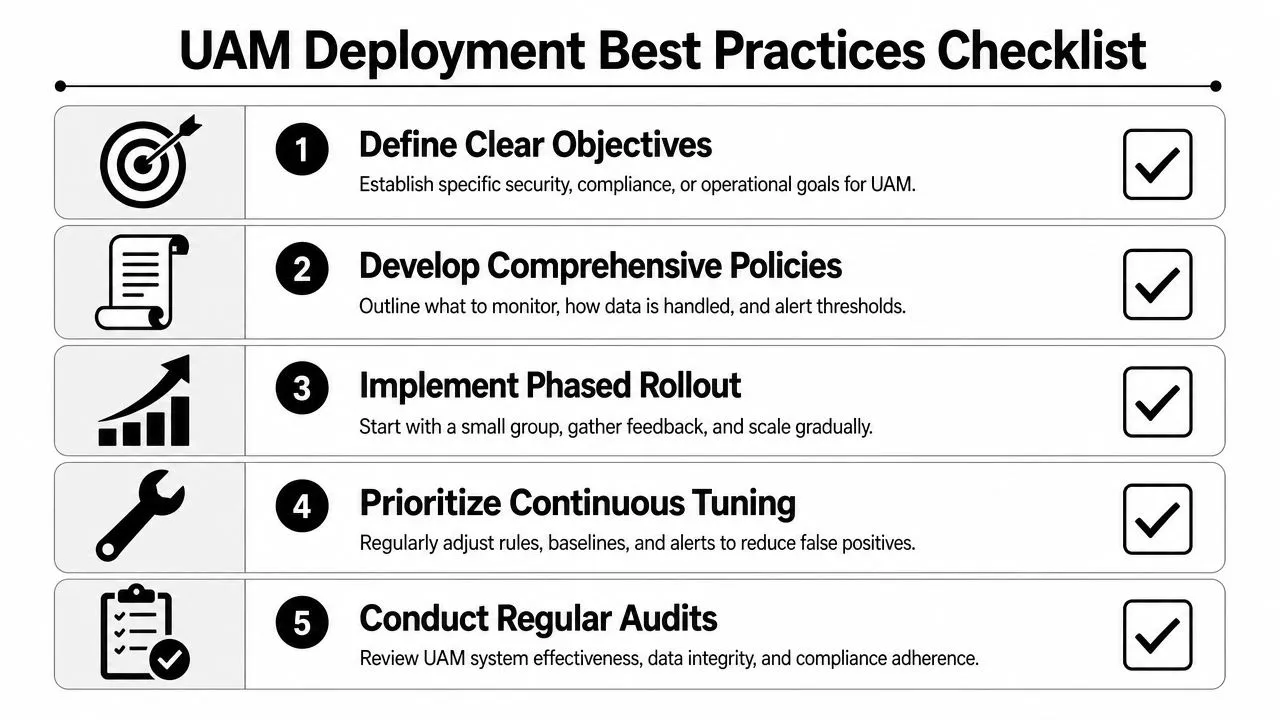
A practical rollout starts with a narrow risk lens. Pick a set of high-value systems, a limited group of privileged users, and a short list of actions that matter. Prove that the program can produce useful alerts and investigation timelines before expanding scope.
Start narrow and prove signal quality
The best first phase usually targets privileged access and sensitive data workflows.
Use a rollout pattern like this:
- Begin with admin paths: Monitor permission changes, privileged sessions, break-glass accounts, and configuration edits.
- Add regulated data access: Watch read, export, delete, and share actions for systems tied to HIPAA, PCI, GLBA, CMMC, or ISO 27001 obligations.
- Expand by risk tier: Bring in broader user populations only after baselines and exception handling are stable.
That sequence works because privileged misuse and sensitive data handling usually produce the highest-value signals. It also gives compliance teams immediate evidence benefits.
Tune for analyst workflow, not vendor defaults
Default detections are rarely production-ready. Thresholds that look reasonable in a product demo often generate too much noise in real environments because every organization has different workflows, different admin patterns, and different cloud app usage.
Teams get better results when they tune around these questions:
- Which alerts require human review immediately? Reserve highest priority for actions with direct business or regulatory impact.
- Which patterns should enrich other alerts instead of firing alone? Many user actions are useful context, not standalone incidents.
- Which users need custom baselines? Administrators, service owners, finance teams, developers, and contractors behave differently.
A tuned program also needs response playbooks. If a rule identifies an unusual OAuth grant, someone should know whether the next action is revocation, user validation, token review, or expanded account investigation. If a data export alert fires, the playbook should define containment steps and evidence preservation.
The real output of UAM isn’t an alert. It’s a faster, more accurate decision about whether to contain, escalate, or close.
Measure success with operational outcomes, not event volume. The useful questions are whether analysts can investigate faster, whether fewer alerts require manual stitching across tools, and whether audit evidence is easier to retrieve when compliance asks for it.
Implementing UAM with a Unified SIEM and XDR Platform
User activity monitoring delivers the most value when it’s part of the same platform that handles detection, triage, response, and compliance reporting. If UAM data lives in a silo, analysts still have to pivot between tools, rebuild timelines manually, and export evidence by hand.
That’s why unified architecture matters.
Why consolidation changes the outcome
In a unified SIEM/XDR model, user activity becomes one signal among many. A suspicious file export can be correlated with identity anomalies, endpoint telemetry, threat intelligence, vulnerability context, and response actions in the same workflow. That’s materially different from treating UAM as a separate audit function.
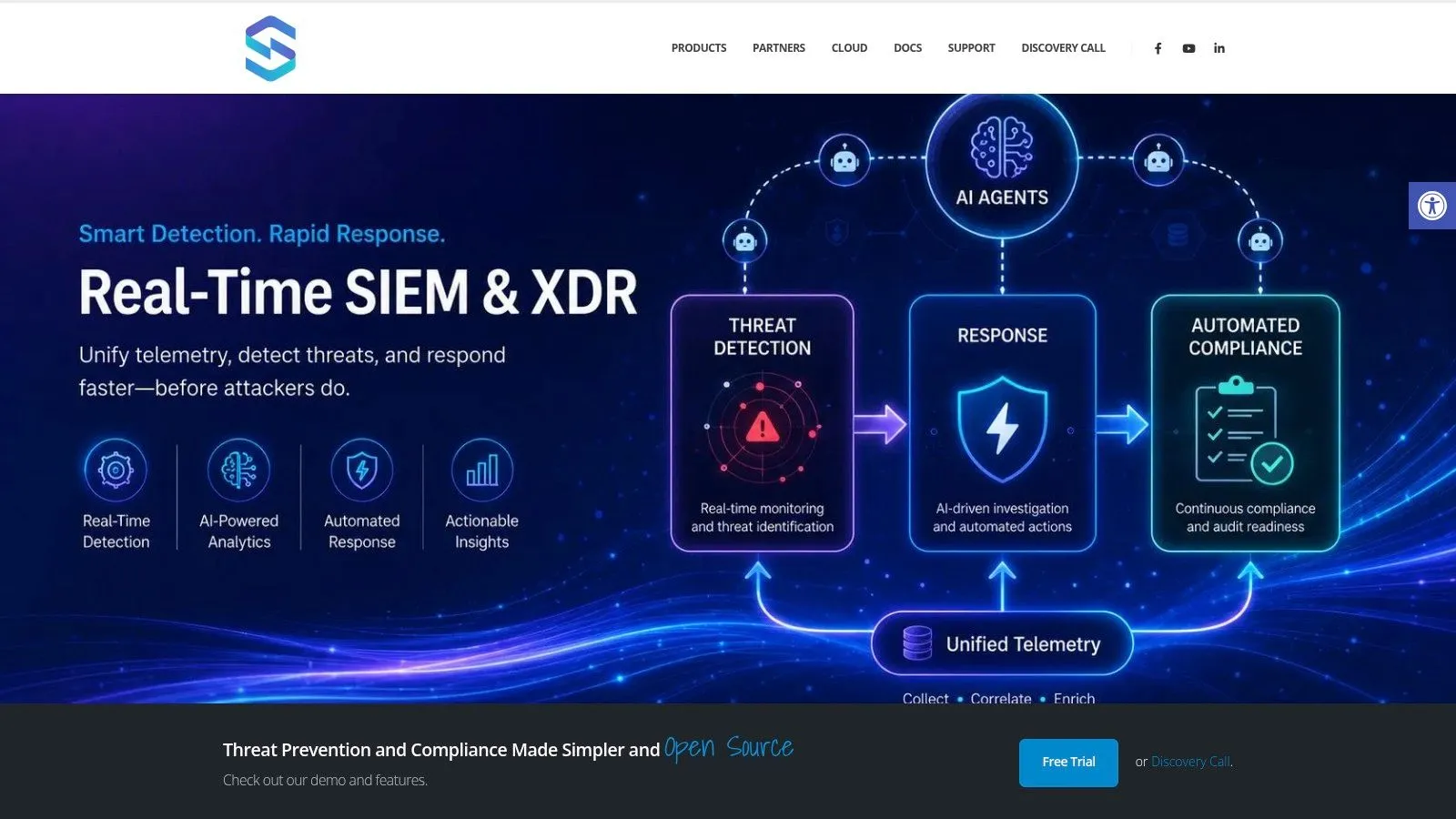
One example is UTMStack, which combines SIEM, SOAR, and XDR functions with log ingestion from cloud services, endpoints, network devices, APIs, Syslog, NetFlow, and agents, plus compliance mapping for frameworks such as HIPAA, CMMC, PCI, GDPR, GLBA, SOC 2, and ISO 27001. In that model, user activity monitoring data becomes directly usable for both SOC operations and audit evidence.
That matters for daily work:
- Analysts investigate in one place: They don’t need to jump between endpoint, identity, and SaaS consoles to reconstruct a sequence.
- Response can be automated: Playbooks can contain accounts, trigger review workflows, or enrich cases when user behavior crosses a threshold.
- Compliance evidence stays attached to detections: Control validation and incident history are easier to report.
For a closer look at how a unified platform presents this workflow, this overview is useful:

Compliance gets easier when evidence is centralized
CISOs typically realize the broader payoff. The same user activity records that help the SOC investigate access misuse also help compliance teams answer auditor questions. Who accessed the regulated dataset. Who changed permissions. Which privileged accounts were used. What response steps were taken. Whether the evidence chain is intact.
Siloed tools can collect pieces of that. Unified platforms make it operational.
If you’re evaluating how to bring user activity monitoring into your SIEM/XDR and compliance workflow, UTMStack is worth reviewing as an open-source option for centralized detection, automated response, access activity auditing, and audit-ready evidence management across hybrid environments.